ANDROID AUTO'S SPOTIFY REDESIGN ROLLS OUT, YOUTUBE MUSIC STILL FUMBLING
The long-beta Spotify redesign finally arrives widely on Android Auto, just as YouTube Music users lose access to their library.
by editor7 min readcomments soon
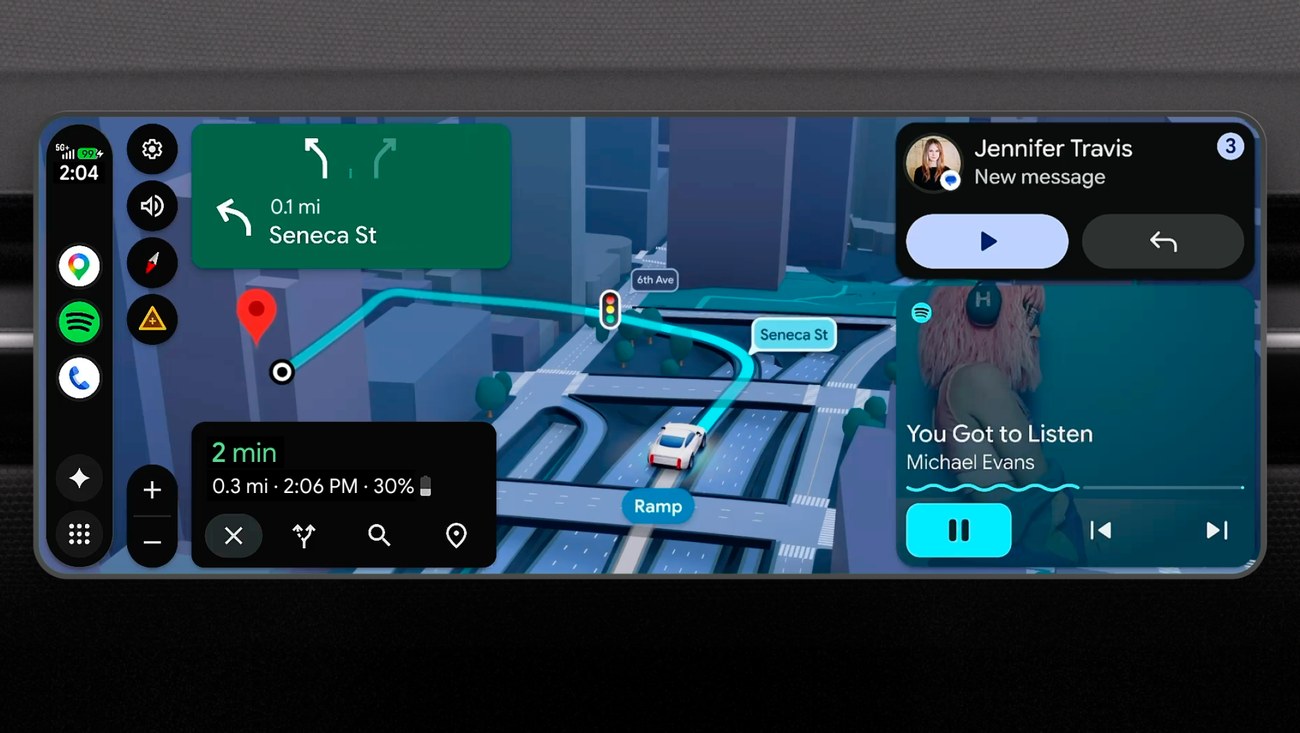
Android Auto is getting two very different kinds of updates this month. One is a long-awaited redesign of the Spotify player that finally leaves beta. The other is a bug that makes YouTube Music's library vanish entirely. They are arriving at roughly the same time, and the contrast is telling.
Spotify's new look, which started appearing in January but is now rolling out more broadly, brings blurred album art as the full-screen background, a Material 3 Expressive tracking bar, and reorganised playback controls. The layout is cleaner than the old one, with the album art occupying more real estate and the track progress and buttons sitting over the blurred backdrop. The design had been in beta for months, and its wider rollout suggests Google and Spotify have worked out the kinks. Users who had not seen it before are now pulling up the app in their car and getting a noticeably different interface.
But the same update cycle that is pushing Spotify's new player is also breaking one of the core functions of another major music service on the platform. YouTube Music, which has its own Android Auto integration, is currently showing a "No Items" message when users try to access their Library screen. Tapping the Library tab returns nothing: no playlists, no albums, no uploaded songs, just an empty state that defeats the entire point of having a music library in the car.
SPOTIFY'S NEW LOOK
The redesign is not a radical departure from what Spotify already looked like on Android Auto, but it is a meaningful visual upgrade. The blurred album art fills the screen behind the controls, which creates a more immersive look that matches what the Spotify mobile app does. The tracking bar uses the Material 3 Expressive design language, which means a thicker, multicolourful progress indicator that feels designed for a driving context where glances matter.
Button placement has been reorganised. The shuffle, previous, play/pause, next, and repeat controls sit at the bottom, and the thumbs-down button that was introduced earlier is now more prominent. There is also a larger album art thumbnail that still shows the current track info. The overall impression is that Google and Spotify have finally given the driving experience the same design thinking that the phone and desktop apps have had for years.
The rollout appears to be server-side, meaning users do not need to update their Spotify app to see it. It just shows up one day when they plug their phone into the car. Some users reported seeing it months ago as a limited test, but the current wave seems much wider. The design is also appearing in other media apps like YouTube Music itself and Pocket Casts, suggesting it is a platform-level update to Android Auto's media player framework rather than a per-app skin.
YOUTUBE MUSIC'S LIBRARY VANISHES
The timing could not be worse for the other side of the coin. YouTube Music users are reporting that the Library tab inside Android Auto now returns a blank screen with the message "No Items". No recent listens, no downloaded playlists, no access to uploaded songs. The tab appears, but tapping it leads nowhere useful.
The bug is not universal. Some users still have their library intact. But enough people are reporting it across forums on Reddit and social platforms like Twitter/X, Threads, and Bluesky that it is clearly a real issue affecting a significant portion of the user base. And it is not something a simple restart always fixes.
The most common advice circulating is to clear the YouTube Music app cache on the phone, restart the phone, and toggle Wi-Fi off and on. For some of us, that works, at least temporarily. For others it does nothing, and they have to repeat the process multiple times before the library reappears. A few report that the fix stops working again after a few days. It is the kind of bug that is extra frustrating because it strikes while you are already behind the wheel, and troubleshooting a phone app while parked in a parking lot is not how anyone wants to spend their drive.
WHAT THE PATTERN IS
The fact that both developments are happening at the same time is not a coincidence. Android Auto has been getting a steady stream of media player improvements this year. The new UI introduced earlier this year was a clear step forward. The Spotify redesign is part of that push. But platform-wide changes inevitably create regressions in specific apps, especially when the changes touch the underlying player framework.
YouTube Music's Library tab vanishing could be related to the same backend changes that enabled the new design. If Google updated the way media sources are queried or cached, the YouTube Music app may not be handling the new query pattern correctly. The fact that clearing the cache helps some users suggests the issue is in how the app locally stores library data. The fact that it comes back supports that theory. But a bug that requires users to clear their cache every few days is not fixed; Google has not acknowledged the issue publicly in the material we have seen. That is not unusual for Android Auto bugs, which often get fixed in a server-side update without any official announcement. But the longer it drags on, the more users will simply give up on using YouTube Music in their car and switch to another service, which is not the outcome Google wants for its own music streaming product.
WHAT TO DO IF YOU'RE AFFECTED
If you are one of the users seeing the "No Items" message on your Android Auto Library screen, the first thing to try is clearing the YouTube Music app's cache. Go to Settings > Apps > YouTube Music > Storage & cache > Clear cache. Then restart your phone. Some users also report success with toggling Wi-Fi on and off after the restart, which forces a fresh sync with YouTube Music's servers.
If that does not work, try uninstalling and reinstalling the app. A clean install can sometimes reset whatever corrupted state the cached data is in. And if you are really desperate, you can try an older version of the app via an APK sideload, but that is a hassle for most users.
For now, the safest workaround is to use voice commands to play specific songs or playlists. The voice search still works because it goes directly to YouTube Music's servers rather than relying on the local library cache. It is not a replacement for having a browsable library, but it gets you music while waiting for a proper fix.
THE BIG PICTURE
Android Auto's media experience has genuinely improved over the past year. The new player UI is more polished. Spotify's redesign is a nice win. But the platform still has a tendency to introduce regressions that sour the experience for a large chunk of users. The Library tab bug is not a showstopper for everyone, but for anyone who relies on playlists and saved music while driving, it makes the system nearly unusable.


Google needs to treat this with the same priority it gave the Spotify redesign. A music platform is only as good as its reliability, and a broken library on your own first-party service is a bad look when you are simultaneously showing off how good third-party apps can look.
what did you make of it?
more from consumer tech
consumer tech
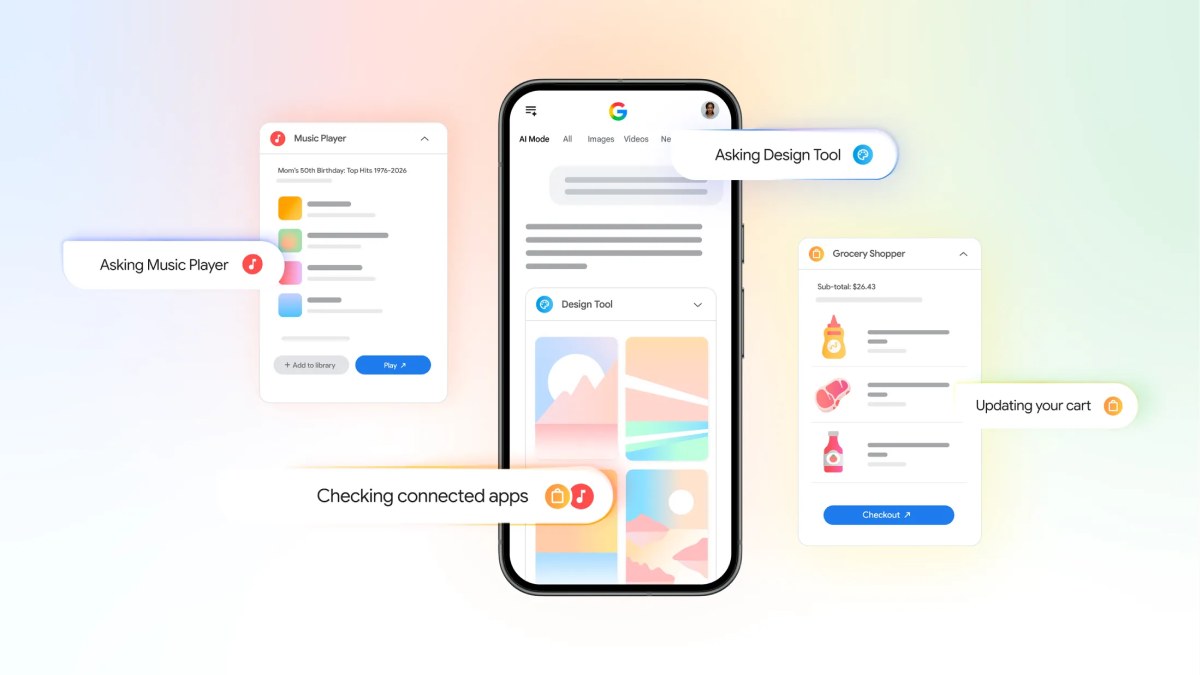
GOOGLE ADDS YOUTUBE MUSIC, INSTACART & CANVA TO AI MODE SEARCH
Starting this week, US users can ask AI Mode to make a playlist, fill a grocery cart, or design a flyer without leaving the search…
consumer tech
ONEPLUS DEAD IN THE WEST, OPPO OVERLORDS PULL PLUG
The brand that built its reputation on has settled for leaving its biggest markets. Existing phones still work. New ones won't come.
consumer tech
GOOGLE PIXEL 10 PRO DROPS TO 699, BEST DEAL YET!
A $300 discount on the 128GB model undercuts Prime Day pricing and signals a clear runway to the pixel 11 launch.
consumer tech
APPLE RAISES APPLE ON BUNDLE FOR FAMILY AND PERMIER PLANS
the Family plan jumps $2 to $27.95 a month and the Premier to $39.95; Apple hasn’t explained the bundle increase beyond citing music licensing for…